
Feature: Profile Status (Active/Sub/etc)
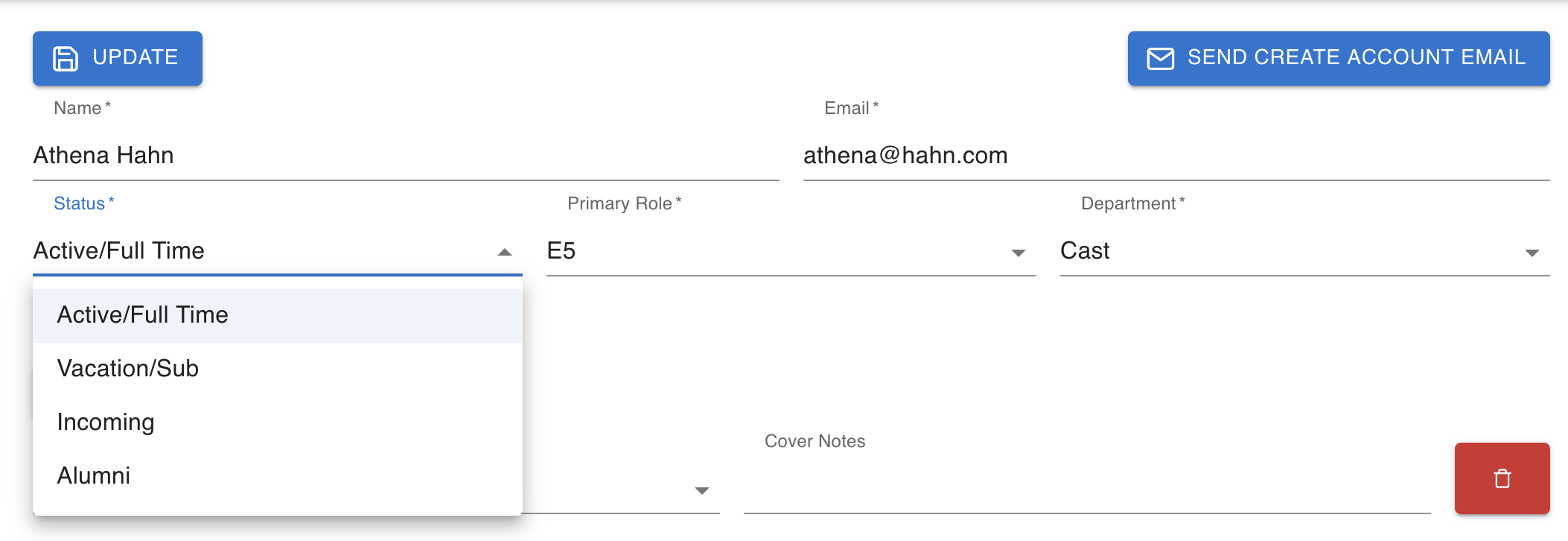
You can now also effectively categorize a profile among four options: Active/Full Time, Vacation/Sub, Alumni, and Incoming.
Profiles marked Active/Full Time and Vacation/Sub will appear as suggestions in the In/Out (and other places, like Personnel, Lateness, Illness/Injury, etc dropdown) and profiles marked Alumni and Incoming will not appear as suggestions.
Rest assured, given a situation where, for example, a stage manager leaves a show after a year, and you mark them as "Alumni", they do not disappear from all the performance reports they were marked In/Out for. They just won't appear as a suggested profile the next time you create a report.
The most likely use case here is if you have a large cast changeover coming up - you can put all the new profiles in ahead of time, mark them as "Incoming" so they don't clutter up your workflow when making a performance report, and then mark them as "Active/Full Time" as they join the company.